Tag: Machine Learning

  • Top AI Productivity Tools That Save Hours Every Week

    Top AI Productivity Tools That Save Hours Every Week

    The modern professional landscape has fundamentally changed. Just a few years ago, the concept of having a dedicated, highly intelligent assistant available 24/7 was a luxury reserved for top-tier executives. Today, thanks to rapid advancements in artificial intelligence, anyone with an internet connection can access an arsenal of digital assistants capable of tackling complex, time-consuming tasks in seconds.

    Whether you are a freelancer managing multiple clients, an entrepreneur scaling a business, or a student balancing research projects, time is your most valuable asset. The integration of AI productivity tools into daily workflows is no longer just a competitive advantage—it is rapidly becoming an absolute necessity.

    In this comprehensive guide, we will explore the best AI productivity tools available, compare their strengths and weaknesses, and demonstrate exactly how they are being used to save professionals hours of tedious work every single week.

    Why AI Productivity Matters

    Before diving into the specific tools, it is crucial to understand why artificial intelligence is having such a profound impact on how we work. The benefits extend far beyond simply writing emails faster.

    • Time Management: AI allows you to compress tasks that traditionally took hours into mere minutes. This reclaims massive blocks of time, allowing you to focus on high-impact, strategic work.
    • Automation of Repetitive Work: From data entry to formatting spreadsheets, AI excels at handling the mundane, repetitive tasks that drain human energy and cause burnout.
    • Better Decision-Making: AI tools can process and analyze vast amounts of data—such as financial reports or market trends—instantly, highlighting key insights that help you make informed, data-driven decisions.
    • Increased Efficiency: With AI handling the heavy lifting of research and drafting, your operational output can double or triple without requiring longer work hours.
    • Improved Creativity: Staring at a blank page is a universal struggle. AI acts as a phenomenal brainstorming partner, providing initial outlines, concepts, and ideas that you can refine with your unique human perspective.
    The Best AI Productivity Tools

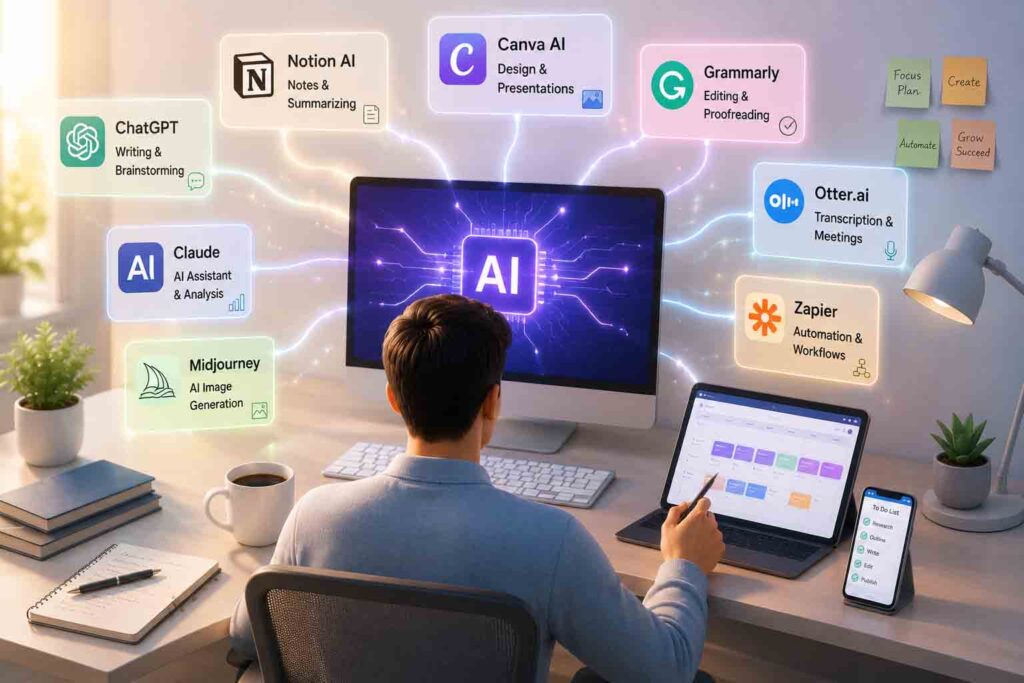
    The AI landscape is crowded, but a few standout platforms have proven themselves to be essential staples in the modern productivity tech stack. Here is a detailed breakdown of the top tools you should consider incorporating into your daily routine.

    ChatGPT (by OpenAI)

    ChatGPT remains the most recognized name in the AI space, and for good reason. It is a highly versatile, general-purpose generative AI that can handle a staggering variety of tasks.

    • Main Features: Natural language processing, custom GPT creation, advanced data analysis, voice mode, and image generation (via DALL-E).
    • Best Use Cases: General brainstorming, writing first drafts, data formatting, and learning complex new concepts through conversational Q&A.
    • Strengths: Highly intuitive interface, massive user community for support, and the ability to create highly specialized “Custom GPTs” tailored to your exact workflows.
    • Limitations: Its knowledge cutoff can sometimes limit real-time awareness, and it can occasionally produce generic-sounding text if not prompted carefully.
    • Who Should Use It: Everyone from students and copywriters to executives and developers looking for a reliable, all-in-one assistant.

    Google Gemini

    Google’s flagship AI model is deeply woven into the Google ecosystem, making it a powerhouse for users who already live inside Google Workspace.

    • Main Features: Seamless integration with Google Docs, Gmail, Drive, and Sheets. It features robust multimodal capabilities (understanding text, images, and video simultaneously).
    • Best Use Cases: Summarizing long email threads, extracting data from Google Drive documents, and drafting responses directly within Gmail.
    • Strengths: Unparalleled access to real-time information via Google Search and native integration with the tools millions already use daily.
    • Limitations: While it is highly capable in search and document analysis, users handling complex programming tasks often find it struggles and produces errors compared to alternative models.
    • Who Should Use It: Heavy users of Google Workspace, researchers, and professionals who need real-time data pulling.

    Claude (by Anthropic)

    Claude has quickly become a favorite among power users, writers, and analysts due to its incredibly natural conversational tone and massive context window.

    • Main Features: An enormous context window (capable of reading entire books or massive codebases in one prompt), a highly nuanced writing style, and the “Artifacts” feature for generating and previewing code and documents.
    • Best Use Cases: Long-form writing, analyzing massive PDF reports, and maintaining complex, multi-layered conversations without the AI forgetting previous context.
    • Strengths: Claude is widely considered the most “human-sounding” AI for writing. It is exceptionally safe, logical, and excellent at following highly specific formatting instructions.
    • Limitations: It lacks native image generation and its web-browsing capabilities are not always as fast or integrated as Google’s or Perplexity’s.
    • Who Should Use It: Authors, legal professionals, data analysts, and content creators who require high-quality, nuanced writing.

    Perplexity AI

    Perplexity is fundamentally changing how we conduct research online. It functions less like a chatbot and more like a highly intelligent, conversational search engine.

    • Main Features: Real-time web browsing, in-line citation of sources, and a clean, ad-free interface focused purely on information retrieval.
    • Best Use Cases: Deep-dive research, fact-checking, academic inquiries, and market analysis.
    • Strengths: It completely bypasses SEO spam and immediately provides a synthesized answer with clickable footnotes to verify every claim.
    • Limitations: It is not designed for creative writing or extensive brainstorming; its primary function is strictly factual retrieval.
    • Who Should Use It: Researchers, journalists, marketers, and students who need accurate, verifiable information fast.

    Microsoft Copilot

    Microsoft has integrated AI directly into its enterprise suite, making Copilot the ultimate tool for corporate productivity.

    • Main Features: Deep integration into Word, Excel, PowerPoint, Teams, and Outlook, backed by the Microsoft Graph.
    • Best Use Cases: Generating PowerPoint presentations from Word documents, summarizing missed Teams meetings, and drafting corporate emails.
    • Strengths: It understands the context of your entire organization. It can pull data from a spreadsheet you worked on yesterday to answer a question in Teams today.
    • Limitations: The enterprise version can be expensive, and navigating the vast array of features requires a learning curve for some traditional Office users.
    • Who Should Use It: Corporate employees, enterprise teams, and heavy users of the Microsoft 365 ecosystem.

    Notion AI

    Notion is already a beloved workspace for notes and project management. Notion AI turbocharges this environment by embedding an assistant directly into your documents.

    • Main Features: In-line text generation, automated database filling, document summarization, and action-item extraction.
    • Best Use Cases: Cleaning up messy meeting notes, expanding bullet points into full project proposals, and managing personal or company wikis.
    • Strengths: The AI is contextualized to the specific page you are working on, making it incredibly frictionless to use without switching tabs.
    • Limitations: It operates strictly within the Notion ecosystem and relies heavily on the quality of the notes you have already taken.
    • Who Should Use It: Project managers, startup teams, and individuals who use Notion as their “second brain.”

    Grammarly AI

    Grammarly has evolved from a simple spell-checker into a comprehensive AI communication assistant.

    • Main Features: Real-time grammar and tone checking, sentence rewriting, and email drafting based on brief prompts.
    • Best Use Cases: Polishing professional communications, ensuring brand voice consistency, and quickly replying to daily emails.
    • Strengths: It works seamlessly across almost every website and app via browser extensions, ensuring you sound professional everywhere you type.
    • Limitations: Its generative capabilities are narrow and strictly focused on communication refinement rather than broad content creation or research.
    • Who Should Use It: Professionals, non-native English speakers, and customer support teams who communicate heavily via text.

    Canva Magic Studio

    AI is not just for text. Canva’s Magic Studio brings the power of generative AI to visual design, making professional graphics accessible to non-designers.

    • Main Features: Text-to-image generation, Magic Resize, automatic background removal, and AI-powered presentation drafting.
    • Best Use Cases: Creating social media graphics, designing marketing materials, and building slide decks quickly.
    • Strengths: It is incredibly user-friendly and removes the technical barriers associated with traditional graphic design software like Photoshop.
    • Limitations: The AI-generated images can sometimes lack the ultra-high fidelity of dedicated tools like Midjourney, though they are usually more than sufficient for everyday business use.
    • Who Should Use It: Social media managers, solo entrepreneurs, educators, and marketing teams.

    Comparing AI Productivity Tools

    To help you choose the right tool, here is how they stack up across the most common professional use cases.

    Task CategoryTop Recommended ToolWhy It Excels
    Writing & CopywritingClaudeSuperior nuance, highly natural tone, and strict adherence to formatting rules.
    Research & Fact-CheckingPerplexity AIProvides real-time web searches with explicit, clickable source citations.
    Coding & ScriptsGrok / ClaudeFor coding assistance, specialized models or highly capable tools like Grok often deliver superior performance and fewer errors than general-purpose assistants like Gemini.
    Image CreationCanva Magic StudioIntuitive layout, easy integration of AI images into marketing templates.
    Document SummarizationNotion AIBest for analyzing and summarizing text directly within your existing workspace.
    BrainstormingChatGPTThe conversational interface and custom GPTs make bouncing ideas back and forth effortless.
    Corporate Business UseMicrosoft CopilotNative integration with Teams, Excel, and Outlook using organizational data.

    How AI Saves Hours Every Week

    The true value of these tools becomes apparent when you apply them to real-world, daily operations. Here is how professionals are reclaiming their time:

    Email Writing and Meeting Summaries

    Instead of spending 20 minutes drafting a delicate email to a client, you can provide Copilot or Grammarly AI with a three-word prompt: “Politely decline project timeline.” The AI generates a professional, empathetic response in seconds. Furthermore, AI tools integrated into Zoom or Teams can automatically transcribe meetings and instantly generate a list of action items, saving you the hassle of taking manual notes.

    Content Creation

    Digital creators are leveraging AI to radically speed up their production pipelines. For instance, creators are utilizing AI to draft structured comedy scripts and effortlessly configure short video timelines, breaking scenes down into precise 5-second segments for fast-paced platforms. This turns a multi-hour planning session into a 15-minute review process.

    Research

    Gone are the days of opening twenty browser tabs to synthesize a market report. Using Perplexity, a consultant can ask for a summary of the latest trends in renewable energy, and the AI will read the tabs for them, providing a heavily cited, one-page brief instantly.

    Coding Assistance

    Developers and data analysts are saving massive amounts of time on boilerplate code and debugging. For advanced tasks—such as deploying custom Python scripts to scrape online data and log commercial product metrics directly into spreadsheet files—advanced models have proven exceptionally capable, turning days of trial-and-error coding into a quick, automated loop.

    Marketing

    Digital marketers use AI to build and optimize affiliate marketing operations across a multi-platform network. Whether scaling campaigns on Litly, managing a Naver blog, optimizing Adpick links, or analyzing TikTok traffic, AI acts as a central command, generating localized bios, SEO descriptions, and A/B testing ad copy in multiple languages simultaneously.

    Project Management and Customer Support

    AI can scan customer support tickets, categorize them by urgency, and draft preliminary responses based on previous company data. In project management, tools like Notion AI can instantly turn a brief project outline into a comprehensive Kanban board with assigned tasks and deadlines.

    Tips for Using AI More Effectively

    To get the most out of these productivity tools, you must learn how to interact with them properly.

    • Writing Better Prompts: The output is only as good as the input. Be specific. Instead of asking, “Write a blog post about marketing,” ask, “Act as a senior digital marketer. Write an 800-word blog post about B2B email marketing trends for 2026, using a professional but engaging tone, and include three actionable bullet points.”
    • Fact-Checking: AI models can and do hallucinate (make things up confidently). Always verify statistics, dates, and factual claims, especially when using tools that don’t provide live citations.
    • Combining Multiple AI Tools: The best workflows use a stack of tools. You might use Perplexity for research, Claude to write the draft, Grammarly to polish the tone, and Canva to create the featured image.
    • Protecting Privacy: Never paste sensitive personal data, proprietary company code, or confidential financial information into public AI models, as this data may be used to train future iterations.
    • Maintaining Human Creativity: Treat AI as an intern or a co-pilot, not a replacement for your brain. The final product should always be reviewed, edited, and injected with your unique human perspective and voice.

    Future Trends

    The AI productivity landscape is evolving at breakneck speed. Here is what to expect in the near future:

    • AI Agents: We are moving from AI that answers to AI that acts. Future “Agentic AI” will be able to execute multi-step workflows autonomously, such as logging into your CRM, updating client records, and sending follow-up emails without human intervention.
    • Workflow Automation: Tools like Zapier are deeply integrating AI, allowing seamless, invisible automation connecting thousands of different web apps based on natural language triggers.
    • Personalized AI Assistants: AI will become increasingly personalized, learning your specific writing style, daily schedule, and preferences over time, functioning as a true digital chief of staff.
    • Multimodal AI: The lines between text, audio, and visual inputs will blur. You will be able to show your AI a live video feed of a broken server rack, and it will verbally walk you through the troubleshooting steps in real-time.

    Frequently Asked Questions

    1. Will AI productivity tools replace my job? AI is highly unlikely to replace dynamic, complex jobs entirely. However, a professional who knows how to use AI effectively will very likely replace a professional who refuses to adapt to these new tools.

    2. Are free versions of AI tools good enough? For casual users and students, the free versions of ChatGPT, Claude, and Gemini are incredibly powerful. However, professionals who need access to the latest models, larger context windows, and advanced data analysis features will find the monthly subscription fees easily pay for themselves in time saved.

    3. Which AI tool is best for writing? While subjective, Claude by Anthropic is widely considered the best AI for writing due to its natural phrasing, high emotional intelligence, and ability to closely follow complex stylistic guidelines without sounding overly robotic.

    4. Is it safe to put company data into AI? It depends on the platform and your subscription tier. Enterprise versions of tools like Microsoft Copilot and ChatGPT Enterprise offer data protection guarantees, ensuring your inputs are not used for training. Always consult your company’s IT policy before sharing data with standard, consumer-facing AI.

    5. How do I start using AI if I’m overwhelmed? Start small. Pick one tool (like ChatGPT) and use it for one specific task every day, such as drafting emails or summarizing long articles. As you get comfortable with prompting, gradually expand your use cases.

    Conclusion

    The era of brute-forcing our way through digital busywork is over. Top AI productivity tools are no longer experimental novelties; they are foundational elements of the modern workspace. By integrating tools like ChatGPT, Claude, Perplexity, and Copilot into your daily routine, you are not just saving hours every week—you are fundamentally elevating the quality and strategic value of your work.

    The goal of AI is not to make humans obsolete, but to free us from the robotic, repetitive tasks we were never meant to do in the first place. By adopting these tools today, you can stop working harder and finally start working smarter. Embrace the technology, experiment with your workflows, and unlock a new level of professional efficiency.

    SEO Meta Data & Formatting

    • SEO Meta Title: Top AI Productivity Tools That Save Hours Every Week (2026)
    • Meta Description: Discover the top AI productivity tools to streamline your workflow. Compare ChatGPT, Claude, Gemini, and more to save hours of work every week.
    • URL Slug: top-ai-productivity-tools-save-hours-weekly
    • Featured Image Prompt: 16:9, ultra-realistic, cinematic, modern workspace with laptop displaying multiple AI assistant interfaces, holographic AI icons, futuristic productivity dashboard, clean professional office, no text.
    • Image Alt Text: A sleek, modern office desk featuring a laptop surrounded by glowing, futuristic AI productivity icons and data dashboards.
    • Image Title: Top AI Productivity Tools for Modern Professionals
    • Image Caption: Integrating AI assistants into your daily workflow can automate repetitive tasks and save hours of valuable time every week.
    • Image Description: A cinematic, highly detailed rendering of a futuristic but realistic workspace. A premium laptop sits on a clean wooden desk, with soft glowing holographic representations of various AI interfaces (chat bubbles, charts, code snippets) hovering slightly above the screen, symbolizing advanced productivity and workflow automation.
    • 10 SEO Tags: AI productivity tools, best AI tools, workflow automation, AI software, ChatGPT vs Claude, Microsoft Copilot, Notion AI, Perplexity AI, AI for business, digital productivity.
    • Suggested WordPress Category: Technology / Productivity & Software
    • Internal Linking Suggestions: Link to articles on -> [How to Write Better AI Prompts], [The Future of AI Agents in Business], [Top AI Tools for Digital Marketers], [How AI is Changing Content Creation].
    • External Authoritative References: OpenAI (ChatGPT capabilities), Anthropic (Claude context windows), Microsoft (Copilot Enterprise security), Perplexity AI (RAG search technology).

    📑 관련기사


    📚 참고자료

    • OpenAI
    • Google Workspace
    • Microsoft
    • Notion
    • Zapier

    💡 함께 읽으면 좋은 우리 블로그 글 (Internal Links)

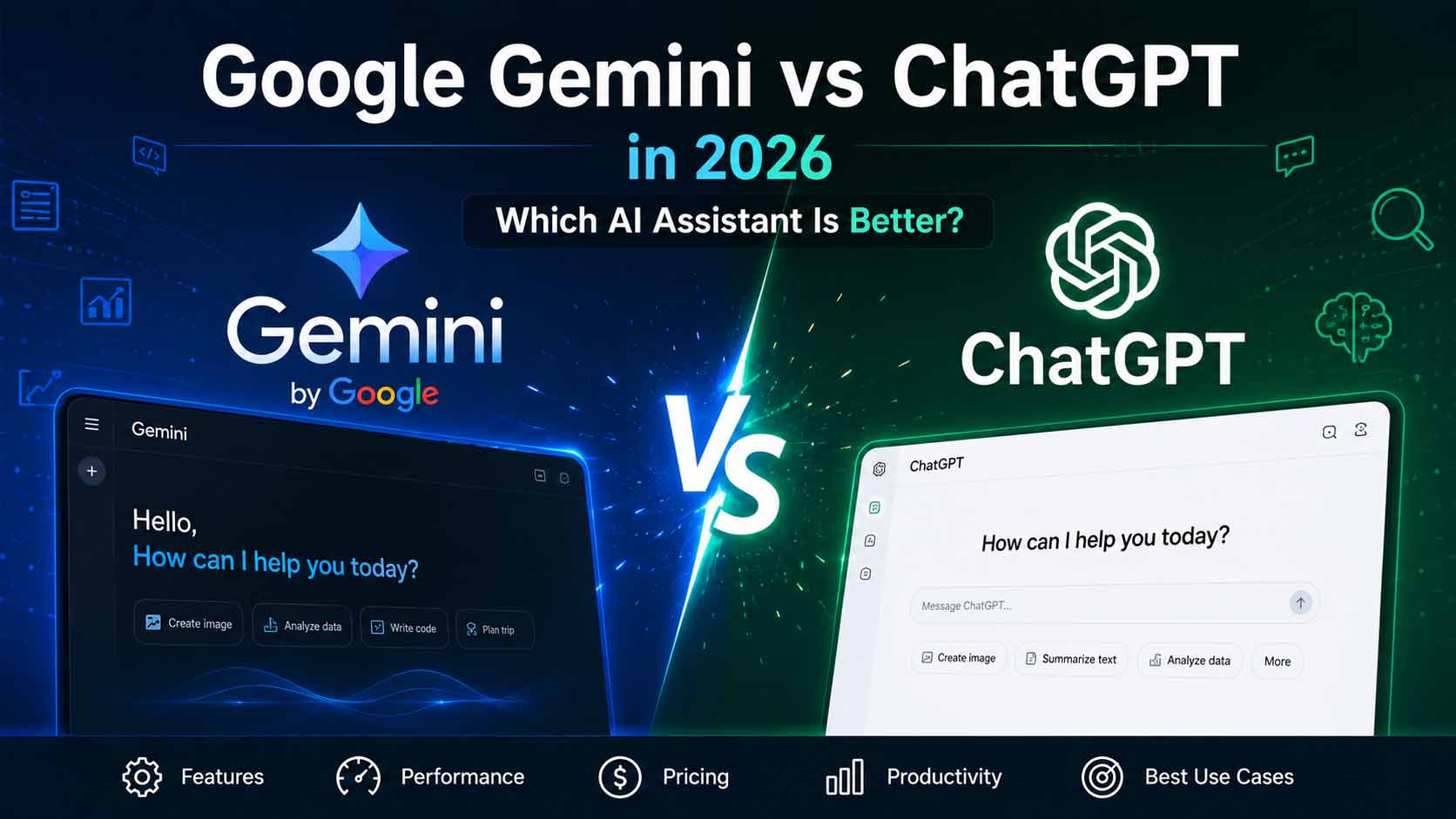
  • Google Gemini vs ChatGPT in 2026: Which AI Assistant Is Better?

    Google Gemini vs ChatGPT in 2026: Which AI Assistant Is Better?

    Introduction

    Artificial intelligence has evolved from an experimental tech demo into an indispensable companion for daily productivity, creative work, and complex decision-making. As we navigate 2026, generative AI assistants are integrated into web browsers, mobile operating systems, office suites, and enterprise workflows. Millions of users rely on AI every single day to summarize complex documents, write production-grade code, draft strategic plans, and generate visual artwork.

    Google Gemini vs ChatGPT. At the forefront of this AI revolution stand two undisputed titans: Google Gemini and OpenAI ChatGPT. Both platforms have invested billions of dollars into research, expanding context windows, introducing real-time voice and video multimodal capabilities, and integrating complex reasoning architectures.

    However, as both tools become increasingly sophisticated, choosing the right assistant for your specific workflow has become more challenging. Is Google’s deep integration with Search and Workspace superior, or does OpenAI’s specialized reasoning and developer ecosystem hold the crown? This comprehensive head-to-head comparison evaluates features, performance, pricing, and real-world usability to help you determine which AI assistant reigns supreme in 2026.

    What is Google Gemini?

    Google Gemini is Google’s flagship multimodal AI model, designed from the ground up to seamlessly process and combine different types of information, including text, code, audio, images, and video. Integrated deeply into Google’s vast consumer and enterprise ecosystem, Gemini powers search features, Google Workspace apps (Docs, Gmail, Drive, Slides), and Android mobile devices.

    Key Features and Strengths

    • Massive Context Window: Gemini leads the industry with native support for processing millions of tokens of context in a single prompt. This allows users to upload entire books, hours of video, or massive code repositories for instant analysis.
    • Native Ecosystem Integration: Gemini connects directly to Google Drive, Gmail, Docs, Maps, and YouTube, allowing the assistant to pull real-time personal data and web information without switching tabs.
    • Multimodal Native Architecture: Unlike models that stitch separate vision or speech modules onto a text core, Gemini was trained multimodally from inception, delivering smooth, real-time voice conversations and precise visual recognition.
    • Deep Web Grounding: Leveraging Google’s search index, Gemini offers reliable, up-to-the-minute web retrieval with direct source citations.

    Supported Platforms and Use Cases

    Gemini is available via a dedicated web web interface, native mobile applications on Android and iOS, and direct integration within Google Workspace for Business and Education. Typical use cases include research over massive document sets, automated email drafting, real-time trip planning with Google Maps, and enterprise data analysis.

    What is ChatGPT?

    ChatGPT, developed by OpenAI, is the revolutionary conversational AI assistant that sparked the generative AI boom. In 2026, ChatGPT operates on OpenAI’s state-of-the-art model lineup, combining flagship multimodal intelligence with specialized reasoning architectures that mimic step-by-step human problem-solving.

    Key Features and Strengths

    • Advanced Reasoning Engine: OpenAI’s reasoning series allows ChatGPT to execute deliberate, multi-step logical chains before responding, making it exceptionally strong in advanced mathematics, science, and complex logic puzzles.
    • The Canvas Interface: ChatGPT features an interactive workspace called Canvas, designed specifically for writing and coding projects. It enables side-by-side editing, inline feedback, and granular revisions without rewriting whole prompts.
    • Custom GPTs and Store: Users can build and deploy custom-tailored GPT assistants with specialized knowledge bases and custom actions, tapping into a massive public directory of community-built tools.
    • Advanced Voice Mode: Delivering near-zero latency, human-like cadence, emotional tone modulation, and real-time interruption capabilities, ChatGPT’s voice interface remains a benchmark for natural voice interaction.

    Supported Platforms and Use Cases

    ChatGPT is accessible via web browsers, native desktop apps for macOS and Windows, mobile apps for iOS and Android, and enterprise API endpoints. Common applications include software development, creative writing, instructional tutoring, complex data transformation, and workflow automation.

    Feature Comparison

    To help you quickly gauge how both platforms perform across core tasks, here is a breakdown of their primary capabilities:

    Feature CategoryGoogle GeminiOpenAI ChatGPTWinner
    Writing & ToneHighly natural, objective, customizable tone slidersFluid, highly creative, excellent structural adaptabilityTie
    Coding & RefactoringStrong code generation, huge context for full reposExceptional debugging, step-by-step reasoning, Canvas editorChatGPT
    Image GenerationPowered by Imagen 3; high photorealism & text renderingPowered by DALL-E 3; high artistic precision & prompt adherenceTie
    Deep ResearchIngests up to 2M tokens; direct access to live Google SearchStrong web browser; excellent synthesis of academic papersGemini
    Reasoning & LogicStrong general logic; fast processing speedsSpecialized reasoning models for STEM and complex logicChatGPT
    Processing SpeedExtremely fast throughput, near-instant responsesFast standard output; slower deliberate reasoning modesGemini
    Factual AccuracyHigh grounding with real-time web citationsHigh accuracy; occasional hallucinations in non-reasoning modeGemini
    User ExperienceClean, minimalist, deeply tied to Google WorkspaceFeature-rich, customizable, dedicated workspace modesChatGPT

    Writing and Editing

    Both AI assistants excel at natural language generation, but they approach tone and structure differently.

    Google Gemini leans toward a clean, concise, and structured writing style. It excels at synthesizing technical documentation into clear, bulleted executive summaries. Its direct integration with Google Docs means you can draft, edit, and format documents right inside your workspace without copying and pasting.

    ChatGPT, on the other hand, exhibits greater stylistic flexibility. Whether you need a formal grant proposal, a dramatic narrative, or an engaging marketing script, ChatGPT adapts quickly to nuanced persona requests. Its Canvas interface provides a dedicated side-by-side editor where you can highlight specific paragraphs to adjust reading levels, edit line by line, or polish prose with fine control.

    Coding and Software Engineering

    For developers, both tools offer powerful assistance, but their strengths diverge based on project scale.

    Gemini’s massive context window is a game-changer for large-scale codebase analysis. You can upload an entire repository or a 500-page API documentation framework, and Gemini will accurately map dependencies, identify bugs, or explain legacy functions across thousands of lines of code simultaneously.

    ChatGPT remains the preferred choice for active development and complex debugging. Its dedicated reasoning capabilities break down intricate algorithmic problems step-by-step before writing code. Combined with the coding Canvas, developers can review code diffs, run inline refactoring, and generate unit tests seamlessly.

    Image Generation and Media Capabilities

    Visual asset creation is a core component of both AI suites.

    Gemini utilizes Google’s Imagen 3 engine, producing crisp, photorealistic images with remarkable handling of complex lighting, textures, and legible text within images. It excels at generating realistic stock photography, promotional material, and natural landscapes.

    ChatGPT leverages DALL-E 3, which stands out for strict prompt adherence and artistic imagination. DALL-E 3 understands complex spatial relationships and stylized artistic directions exceptionally well, making it ideal for conceptual art, vector-style illustrations, and creative branding concepts.

    Deep Research and Context Handling

    When analyzing massive quantities of information, Gemini holds a distinct structural advantage. With native support for context windows spanning up to two million tokens, Gemini can swallow dense legal briefs, academic textbooks, or hours of recorded audio in a single prompt. It reads through raw data rapidly and cross-references facts against Google’s real-time search index.

    ChatGPT approaches deep research through structured web search modules and academic search tools. While its standard context window is smaller than Gemini’s, its ability to iteratively search the web, evaluate source credibility, and synthesize multi-page research digests makes it a powerful academic companion.

    Reasoning and Problem Solving

    In advanced mathematical proofs, symbolic logic, and multi-variable problem-solving, ChatGPT’s dedicated reasoning architecture gives it an edge. When faced with complex logic puzzles or graduate-level science questions, ChatGPT pauses to construct a silent chain of thought, checking its own work before presenting the final answer.

    Gemini offers robust general reasoning and rapid calculation speed, making it highly effective for everyday business logic, financial forecasting, and general analysis. However, for deep multi-step algorithmic challenges, ChatGPT provides slightly higher consistency.

    Pricing Comparison

    Both platforms offer robust free tiers alongside premium subscription plans tailored for power users, teams, and enterprises.

    Google Gemini Pricing Structure:
    ├── Free Tier: Access to standard Gemini model, basic Google extensions, standard context limits.
    ├── Gemini Advanced (Google One AI Premium): ~$19.99/month
    │   ├── Access to flagship Gemini models
    │   ├── 2 Million token context window
    │   ├── 2TB Google One cloud storage included
    │   └── Workspace integration (Docs, Gmail, Drive)
    └── Business & Enterprise: Custom seat-based enterprise pricing with admin controls and data privacy guarantees.
    
    OpenAI ChatGPT Pricing Structure:
    ├── Free Tier: Access to standard GPT models, limited custom GPT usage, standard voice capabilities.
    ├── ChatGPT Plus: ~$20.00/month
    │   ├── Priority access to flagship models & reasoning series
    │   ├── Full access to Canvas editor, DALL-E 3, and Advanced Voice
    │   ├── Higher messaging limits and custom GPT creation
    └── ChatGPT Team & Enterprise: $25–$30+/user/month with team workspaces, administrative analytics, and zero data training policies.
    

    If you are already paying for extra Google Drive storage, Gemini Advanced offers tremendous value because it bundles a 2TB Google One storage plan into the $19.99 monthly fee. ChatGPT Plus costs virtually the same but focuses all its value directly on standalone AI productivity tools.

    Which AI is Better for Students?

    For academic research, study planning, and homework assistance, both tools offer unique advantages depending on your field of study.

    • Choose Google Gemini if: You are conducting extensive literature reviews or reading long textbooks. Gemini allows you to upload entire PDFs, lecture recordings, and slide decks at once, turning them into instant study guides, flashcards, or practice quizzes.
    • Choose ChatGPT if: You are studying STEM subjects, computer science, or advanced mathematics. ChatGPT’s step-by-step reasoning engine acts as an interactive tutor, walking you through complex equations, physics problems, and logic proofs without jumping straight to the answer.

    Which AI is Better for Businesses?

    For corporate productivity, enterprise communication, and workflow automation, the deciding factor often comes down to your existing software stack.

    • Choose Google Gemini if: Your company is fully invested in Google Workspace (Gmail, Google Docs, Drive, Sheets, and Meet). Gemini operates directly inside your daily workflow—it can draft email replies based on previous email threads, summarize long Google Meet recordings, and build Google Slides presentations automatically from Drive documents.
    • Choose ChatGPT if: Your business requires customized workflow assistants and standalone creative tools. With Custom GPTs, companies can build internal knowledge bots trained on HR policies, customer support guidelines, or sales playbooks without writing code.

    Which AI is Better for Content Creators?

    Digital marketers, YouTubers, bloggers, and copywriters need AI assistants that can brainstorm ideas, write compelling copy, and assist with multimedia production.

    • Choose Google Gemini if: You produce video content or rely heavily on real-time trends. Gemini can analyze YouTube videos directly via URL, draft SEO-optimized video scripts, generate realistic promotional images via Imagen 3, and verify facts using live Google Search data.
    • Choose ChatGPT if: You write long-form articles, creative stories, or social media campaigns. The Canvas editor makes refining prose effortless, while DALL-E 3 allows you to maintain stylistic consistency across graphic design assets.

    Which AI is Better for Developers?

    Software engineers, data scientists, and DevOps professionals demand precision, fast execution, and excellent code comprehension from an AI tool.

    Developer Decision Matrix:
    
    Large Codebase Auditing / Heavy Documentation ──> Google Gemini (2M Token Window)
    Complex Algorithmic Logic / Interactive Refactoring ──> ChatGPT (Canvas & Reasoning Series)
    
    • Choose Google Gemini if: You need to refactor legacy code, analyze massive full-stack repositories, or digest thousands of pages of API documentation in one go.
    • Choose ChatGPT if: You want an interactive pair-programmer. The Canvas interface lets you debug code side-by-side, generate comprehensive unit tests, translate code between programming languages, and solve complex architectural bottlenecks.

    Pros and Cons

    Google Gemini

    Pros

    • Massive 2M token context window handles enormous files effortlessly.
    • Seamless integration with Google Workspace, Android, and Google Search.
    • Gemini Advanced includes 2TB of Google One cloud storage.
    • Ultra-fast generation speeds and real-time multimodal capabilities.

    Cons

    • Fewer specialized creative writing modes compared to ChatGPT.
    • Lacks a dedicated community marketplace for custom user-built bots.
    • Can occasionally be over-conservative in safety guardrails for creative prompts.

    OpenAI ChatGPT

    Pros

    • Exceptional reasoning capabilities for complex logic, math, and coding.
    • Interactive Canvas workspace simplifies writing and code editing.
    • Vast ecosystem of Custom GPTs and community plugins.
    • Superior Advanced Voice mode with expressive emotional range.

    Cons

    • Standard context window is smaller than Gemini’s flagship offering.
    • No bundled cloud storage or native Google Workspace integration.
    • Deliberate reasoning modes can take longer to process responses.

    Expert Analysis

    When evaluating Google Gemini and OpenAI ChatGPT side-by-side in 2026, it becomes clear that there is no single “winner” for every user. Instead, the AI landscape has bifurcated into two distinct operational paradigms: Ecosystem Integration vs. Standalone Intelligence.

    Google Gemini represents the ultimate ecosystem assistant. By embedding AI directly into Google Search, Gmail, Docs, and Android, Google has minimized friction. Users do not need to alter their habits; Gemini meets them inside the apps they already use every day. Its ability to process millions of tokens makes it an unmatched research engine for digesting heavy media and enterprise documentation.

    OpenAI ChatGPT represents the quintessential standalone AI toolkit. OpenAI has focused on deepening the core problem-solving capabilities of its models. With specialized reasoning architectures, the Canvas editing environment, and an expressive voice engine, ChatGPT feels like a dedicated, highly skilled digital partner. It excels when you need deep, focused work—whether that means architecting complex software or writing a novel.

    Rather than competing on identical grounds, Gemini has become the ultimate assistant for information retrieval and workflow integration, while ChatGPT remains the premier tool for creative iteration and complex reasoning.

    Frequently Asked Questions

    1. Which AI is more accurate in 2026, Gemini or ChatGPT?

    Both systems have drastically reduced hallucination rates compared to earlier generations. Gemini generally offers stronger real-time factual accuracy for current events due to its direct integration with Google Search. ChatGPT provides higher accuracy in formal logic, mathematics, and complex code execution due to its deliberate reasoning modes.

    2. Can I use Google Gemini and ChatGPT for free?

    Yes, both platforms offer robust free tiers. Free users can access conversational text generation, basic web browsing, image creation, and standard mobile app functionality on both services.

    3. What is the main benefit of Gemini’s 2 million token context window?

    A 2 million token context window allows you to feed the AI massive amounts of information in a single prompt—such as a 1,500-page book, an entire software code repository, or a 1-hour video file—and ask specific questions or generate summaries without losing context.

    4. Is ChatGPT Plus worth $20 a month in 2026?

    If you rely heavily on advanced coding, creative writing, step-by-step logic, or frequent voice interactions, ChatGPT Plus remains one of the best productivity investments available. Access to Canvas, reasoning models, and Custom GPTs easily justifies the cost for power users.

    5. Does Google Gemini Advanced include Google One storage?

    Yes. The Gemini Advanced subscription is bundled into the Google One AI Premium Plan, which includes 2TB of cloud storage for Google Drive, Gmail, and Google Photos, adding significant value for existing Google users.

    6. Which AI generates better images, Imagen 3 or DALL-E 3?

    Imagen 3 (in Gemini) generally produces higher photorealism, natural textures, and cleaner typography within images. DALL-E 3 (in ChatGPT) excels at understanding complex, stylized prompts, artistic directions, and imaginative concepts.

    7. Can ChatGPT access real-time internet information?

    Yes, ChatGPT has integrated web browsing capabilities that allow it to search the live internet, summarize current news, and cite sources with links.

    8. Which AI assistant is better for privacy and data security?

    Both Google and OpenAI offer enterprise-grade privacy plans (Gemini for Google Workspace and ChatGPT Enterprise) where user data and prompts are strictly excluded from AI model training datasets. Free and standard consumer tiers may use non-sensitive interaction data for model improvement unless opted out.

    9. Can Gemini analyze YouTube videos directly?

    Yes. Because Gemini is built by Google, you can paste a YouTube URL into Gemini and ask it to summarize the video, highlight key timestamps, or extract specific information from the audio transcript.

    10. Can I create my own custom AI tools on these platforms?

    ChatGPT allows users to create “Custom GPTs” with unique instructions, uploaded reference files, and API actions. Gemini offers customized “Gems,” allowing users to tailor system prompts and behaviors for repetitive tasks.

    Conclusion

    Choosing between Google Gemini and OpenAI ChatGPT in 2026 depends entirely on your daily tools, primary goals, and personal workflow preference.

    • Get Google Gemini if: You live inside the Google ecosystem, rely on Google Workspace apps, frequently analyze massive documents or video files, and want an AI assistant that seamlessly handles real-time web information while giving you 2TB of cloud storage.
    • Get OpenAI ChatGPT if: You need an elite pair-programmer, a sophisticated writing partner, an interactive tutor for STEM subjects, or a customizable AI tool with dedicated workspace environments like Canvas.

    Both AI assistants represent the pinnacle of modern technology. For many professionals, the ideal setup isn’t choosing one over the other, but using Gemini for information gathering and document management while leveraging ChatGPT for deep reasoning, drafting, and problem-solving.

    📌 Related Links

    📚 References & Sources

    • Google / Google DeepMind: Official resources and technical documentation on Google Gemini’s multimodal architecture and ecosystem integration.
    • OpenAI: Architectural insights and announcements regarding ChatGPT, reasoning models, and search capabilities.
    • Microsoft / Anthropic: Supporting industry context on the competitive landscape of generative AI and enterprise AI assistants.

    💡 함께 읽으면 좋은 우리 블로그 글 (Internal Links)

  • Google Faces Major AI Training Lawsuit: What It Means for the Future of Generative AI

    Google Faces Major AI Training Lawsuit: What It Means for the Future of Generative AI

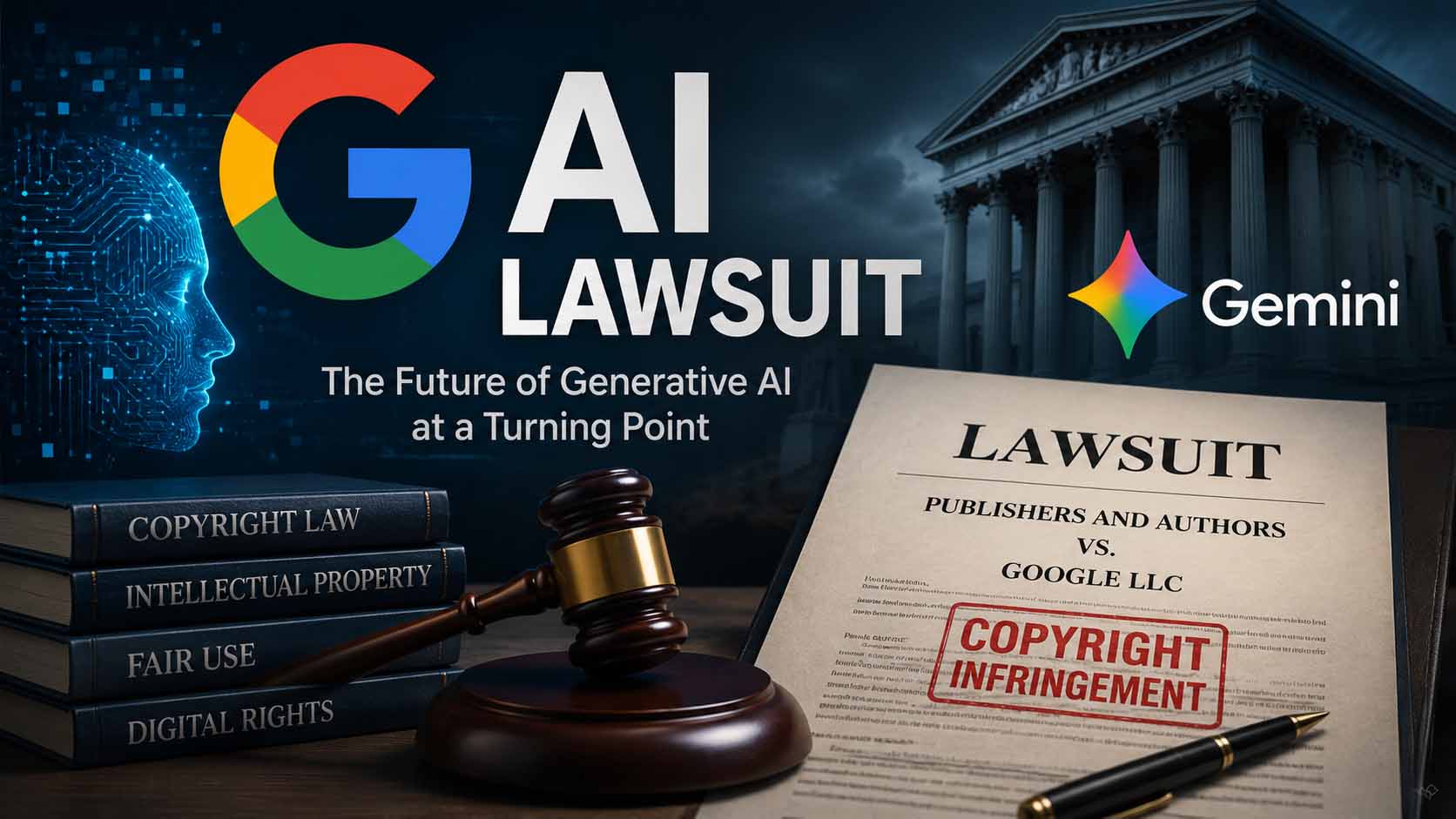
    Introduction The rapid evolution of artificial intelligence has brought about unprecedented technological breakthroughs, but it has also ignited some of the most complex legal battles of the 21st century. At the center of this legal storm is a massive Google AI lawsuit that threatens to reshape the landscape of machine learning, copyright law, and the digital economy. As artificial intelligence models transition from experimental novelties to everyday utilities, the foundational question of how these models learn has come under intense scrutiny.

    Google AI lawsuit. Generative AI models are incredibly powerful, capable of writing essays, coding software, and generating photorealistic images in seconds. However, these systems do not possess innate knowledge; they are trained on vast datasets scraped from the internet. This process has led to a colossal clash between tech giants and content creators. The current Google copyright lawsuit represents a watershed moment. It is not just about a single company or a single algorithm; it is a fundamental debate over who owns the internet’s data and how that data can be monetized.

    As we look at the core of this legal dispute, it becomes clear that the outcome will dictate the trajectory of AI regulation and set the standard for the future of AI. Whether you are a casual internet user, a digital publisher, or an AI developer, the implications of this lawsuit will inevitably affect how you interact with information online.

    What Happened? The controversy surrounding AI training data has been brewing for years, culminating in a series of high-stakes lawsuits against major AI developers. In this specific legal battle, a coalition of prominent authors, Google AI lawsuit. news publishers, and media organizations has filed a sweeping lawsuit against Google. These plaintiffs allege that the tech giant unlawfully scraped, copied, and utilized their copyrighted materials to build and refine its generative AI systems, most notably Google Gemini.

    The Plaintiffs and the Allegations The plaintiffs involved in this lawsuit represent a broad spectrum of the publishing industry. They include independent authors, major book publishers like Hachette Book Group, Cengage Learning, and Elsevier, alongside prominent figures such as bestselling author Scott Turow. According to the lawsuit, Google is accused of ingesting massive quantities of copyrighted text—including books, paywalled news articles, opinion pieces, and digital media—without seeking permission or offering compensation.

    The core allegation is that Google Gemini and its underlying large language models (LLMs) were built on the backs of these creators. The plaintiffs argue that by using their protected works as AI training data, Google committed copyright infringement on a massive scale. They claim that the AI systems are not only copying their work during the training phase but also generating outputs that closely mimic the style, tone, and sometimes the exact phrasing of the original copyrighted materials.

    The Connection to Google Gemini Google Gemini, the company’s flagship multimodal AI model, is at the heart of this dispute. Designed to compete with and surpass other leading AI models, Gemini is deeply integrated into Google’s ecosystem, powering everything from search summaries to enterprise software. To achieve its high level of sophistication, Gemini required an astronomical amount of training data. The plaintiffs allege that this data pipeline indiscriminately vacuumed up copyrighted works, essentially turning the life’s work of human authors into free fuel for a highly profitable commercial product.

    Why This Lawsuit Matters This Google AI lawsuit is far more than a standard corporate dispute; it strikes at the very foundation of how the generative AI industry operates. The legal questions raised here will likely set binding precedents for decades to come.

    AI Model Training and the Scraping Economy To understand the gravity of the lawsuit, one must understand AI model training. Google AI lawsuit. Generative AI relies on scraping billions of parameters from the web. The models analyze this data to learn language patterns, grammar, facts, and reasoning capabilities. If courts rule that this ingestion process is inherently illegal without explicit licensing, the fundamental architecture of AI development will have to be rebuilt from the ground up.

    Copyright Law and the Fair Use Debate The lawsuit places a spotlight on the limitations of current copyright law. Traditional copyright was designed to protect creators from direct piracy—someone copying a book and selling it. Generative AI complicates this because it does not simply copy and paste; it “learns” from the text. This brings us to the Fair Use debate. Does training a neural network constitute a transformative, fair use of copyrighted material, or is it merely high-tech plagiarism?

    Impact on Publishers and Authors For publishers and authors, this is an existential crisis. The internet is already a challenging environment for monetization. If an AI can read an entire news site and summarize its contents for a user in seconds, the user has no reason to click through to the original publisher. This deprives publishers of ad revenue, subscription conversions, and site traffic. Authors are similarly threatened by AI models that can mimic their unique writing styles and produce competing works, potentially devaluing human creativity.

    Ethical Concerns Google AI lawsuit. Beyond the legal framework, there are profound ethical concerns. Many creators feel violated knowing their hard work was used to train machines that might eventually replace them. The lawsuit highlights the need for an ethical approach to AI development, where consent and compensation are prioritized over rapid technological advancement.

    Google’s Possible Defense Google AI lawsuit. While the courts will ultimately decide the facts of the case, Google—like other AI giants facing similar litigation—has a robust set of legal arguments it could deploy. Google AI lawsuit. It is important to note that these are possible legal positions based on the framework of U.S. copyright law, not established judicial facts.

    The Fair Use Doctrine Google’s primary defense will likely center on the Fair Use doctrine. In the United States, Fair Use allows for the limited use of copyrighted material without permission for purposes such as criticism, news reporting, teaching, and research. Google could argue that training an AI model is a highly transformative use of the data.

    Transformative Use Google AI lawsuit. Under a transformative use defense, Google could assert that its AI does not reproduce the plaintiffs’ works to compete with them directly. Instead, the AI extracts statistical correlations, patterns, and linguistic structures to create something entirely new: a dynamic, interactive digital brain. Because the AI converts text into mathematical weights and biases within a neural network, Google could argue that it is not distributing copyrighted works, but rather learning from them in a way akin to a human reading a book at a public library.

    Publicly Available Information Google AI lawsuit. Another potential argument is the nature of the internet itself. Google could point out that much of the AI training data was freely accessible on the open web. The tech giant might argue that if a website does not explicitly block web crawlers, the data is fair game for indexing and analysis, an argument that has historically protected search engine operations.

    AI Innovation and Public Benefit Finally, Google may lean on the broader societal implications of the lawsuit. They could argue that overly restrictive interpretations of AI copyright would stifle American technological innovation. By framing generative AI as a critical tool for national competitiveness, scientific research, and economic growth, Google could position its data practices as a necessary step for the greater public good.

    How This Could Affect Generative AI The ripple effects of this Google copyright lawsuit will extend far beyond Mountain View. Every major player in the artificial intelligence sector is watching this case closely, as the verdict will directly impact their business models.

    Impact on Tech Giants (OpenAI, Anthropic, Meta, Microsoft) If the plaintiffs secure a decisive victory, it will set a legal precedent that will immediately threaten companies like OpenAI, Anthropic, Meta, and Microsoft. All of these companies rely on similar data-scraping methodologies to train their LLMs. A ruling against Google could trigger an avalanche of injunctions and copycat lawsuits across the industry, forcing these tech giants to completely halt training or retroactively purge copyrighted data from their existing models—a process known as “machine unlearning,” which is technically incredibly difficult, if not impossible.

    The Survival of AI Startups Google AI lawsuit. While companies with trillion-dollar market caps might be able to afford massive licensing fees to continue operating, AI startups could be devastated. If the future of AI requires paying millions of dollars to content conglomerates for clean, licensed training data, the barrier to entry will become insurmountable for small innovators. This could lead to an oligopoly where only the wealthiest tech companies can afford to develop foundational AI models.

    AI Regulation and the Future of AI Google AI lawsuit. This lawsuit may force the hand of lawmakers. Currently, AI regulation is a patchwork of disparate global policies. A messy, protracted legal battle could prompt Congress or international bodies to draft specific legislation regarding AI training data. We 단ould see the creation of mandatory collective licensing systems, similar to how radio stations pay to broadcast music, ensuring that creators are compensated whenever their work is ingested by a machine.

    What It Means for Website Owners For digital publishers, bloggers, and website owners, the Google AI lawsuit touches on the very survival of their digital properties. The shift from traditional search engines to AI-driven answers is already altering the internet economy.

    AI-Generated Search and SEO Google is rapidly integrating AI into its search results, providing users with direct, synthesized answers rather than a list of blue links. If Google is allowed to train on publishers’ data indefinitely, website owners fear that traditional Search Engine Optimization (SEO) will become obsolete. Users will simply read the AI’s summary and leave, resulting in a massive loss of organic traffic.

    Generative Engine Optimization (GEO) Website owners are already pivoting from SEO to GEO (Generative Engine Optimization). GEO focuses on optimizing content so that AI models cite the website as a primary source in their generated responses. Google AI lawsuit. However, if the lawsuit forces Google to alter its algorithm or compensate creators, the entire strategy behind GEO could shift overnight.

    Content Ownership and Licensing A victory for the plaintiffs could empower website owners. It could lead to the development of standardized protocols where websites can easily opt-in or opt-out of AI training. More importantly, it could open up a lucrative new revenue stream: content licensing. Large publishing networks could negotiate exclusive data-sharing deals with AI companies, turning their archives into highly valuable assets.

    What It Means for Everyday Users Google AI lawsuit. While the lawsuit is a battle of billionaires and publishing titans, the outcome will directly affect everyday internet users, students, professionals, and creatives.

    The Future of AI Tools Millions of people rely on AI tools daily to draft emails, write code, plan itineraries, and brainstorm ideas. If the courts impose strict copyright limitations, the quality of these AI tools could degrade. Without access to a broad, diverse dataset of high-quality human writing, generative AI might become less accurate, more repetitive, and prone to hallucinations.

    The End of “Free” AI? Currently, many powerful AI models are available for free or for a relatively low monthly subscription. If AI companies are suddenly required to pay billions of dollars in licensing fees to authors and publishers, those costs will inevitably be passed down to the consumer. The era of free, unrestricted access to state-of-the-art AI could come to an end.

    Impact on Students and Businesses Students who use AI for research and businesses that integrate AI into their customer service and content creation workflows will need to navigate a new landscape. If AI outputs are deemed to contain unlicensed copyrighted material, end-users might face liability for using AI-generated content in commercial products.

    Protection for Content Creators Google AI lawsuit. On a positive note, for the millions of independent artists, writers, and musicians on the internet, this lawsuit offers hope. It represents a pushback against the non-consensual use of their art, potentially restoring their ability to control how their creations are used and ensuring they are fairly compensated in the digital age.

    Expert Analysis Google AI lawsuit. Legal scholars, technologists, and economists are deeply divided on the Google AI lawsuit. Analyzing the situation requires balancing the undeniable benefits of AI innovation against the fundamental rights of creators.

    On one side, copyright maximalists argue that theft is theft, regardless of how advanced the technology is. They point out that AI companies are building multi-billion-dollar empires using raw materials they acquired for free. From this perspective, requiring AI companies to license data is not just legally sound; it is morally necessary to prevent the collapse of the creative economy.

    On the other side, techno-optimists and some legal experts caution against applying 20th-century copyright paradigms to 21st-century technology. They argue that human authors read thousands of books to develop their own writing styles without paying royalties to the original authors. If the courts rule that an AI’s mathematical analysis of text is a copyright violation, it could effectively criminalize the core mechanism of machine learning, handing a massive geopolitical advantage to countries with looser intellectual property laws.

    Ultimately, experts suggest that a middle ground must be found—perhaps a modern digital framework that allows for the fair use of data for algorithmic training, coupled with a transparent royalty system that rewards the human creators whose work makes the AI intelligent in the first place.

    Frequently Asked Questions

    1. What is the Google AI lawsuit about? The lawsuit is a legal challenge brought by authors and publishers who allege that Google used their copyrighted books, articles, and content without permission or compensation to train its generative AI models, such as Google Gemini.
    2. How does AI training data relate to copyright infringement? Generative AI models learn by analyzing massive amounts of text. Plaintiffs argue that downloading and processing their copyrighted works to build a commercial AI product violates their exclusive rights to control and monetize their intellectual property.
    3. What is Google’s likely defense? Google is expected to argue that training an AI is protected under the Fair Use doctrine. They will likely claim that the process is “transformative” because it creates a new digital tool (a neural network) rather than distributing exact copies of the original works.
    4. How will this lawsuit affect Google Gemini? If Google loses, it may be forced to pay significant damages, alter how Gemini is trained, or even remove certain data from the model. This could temporarily affect the performance of Gemini and slow down future updates.
    5. Will this affect other AI companies like OpenAI? Yes. The legal precedent set by this Google copyright lawsuit will apply to the entire AI industry. OpenAI, Anthropic, and Meta use similar data-gathering methods, meaning a ruling against Google could trigger a wave of legal and operational challenges for them as well.
    6. Does this mean AI tools will become expensive? It is highly possible. If AI developers are legally required to license all training data, the massive costs of those licenses will likely be passed on to users through higher subscription fees for premium AI tools.
    7. How does this impact website owners and SEO? Website owners are concerned that AI will use their content to answer user queries directly, reducing website traffic. The lawsuit could force AI companies to cite sources better or pay websites for the right to use their data, fundamentally changing SEO strategies.
    8. What happens to the future of AI regulation? This lawsuit is pushing governments to act. It could lead to the establishment of new regulatory frameworks and copyright laws specifically designed for the AI era, ensuring a balance between technological innovation and creator compensation.

    Conclusion Google AI lawsuit. The Google AI lawsuit is much more than a legal squabble over licensing fees; it is a defining moment for the future of generative AI. As artificial intelligence becomes increasingly embedded in our daily lives, the tension between rapid technological progress and the protection of human creativity has reached a breaking point.

    The outcome of this Google copyright lawsuit will echo across the tech industry, influencing everything from AI regulation and AI model training to the future of search engines and digital publishing. Whether the courts side with the rights of content creators or prioritize the transformative potential of AI innovation, the verdict will establish the ground rules for the next era of the internet. As we watch this legal battle unfold, one thing is certain: the wild west of unregulated AI data scraping is rapidly coming to an end.

    📌 Related Links

    📚 References & Sources

    • U.S. Copyright Office: Official legal frameworks, ongoing public studies, and guidelines regarding the intersection of generative AI and intellectual property.
    • Google / Google DeepMind: Technological context on large language model (LLM) training methodologies and fair use defense perspectives.
    • OpenAI / Anthropic: Industry standards on AI safety, data scraping ethics, and the broader implications for global AI regulation.

    💡 함께 읽으면 좋은 우리 블로그 글 (Internal Links)