1. Introduction
In the rapidly changing digital ecosystem, content entrepreneurs face an increasingly competitive landscape. As platforms evolve and consumer habits shift, creators must look beyond short-term viral trends to build sustainable media brands. The foundation of this long-term success lies in the strategic execution of Audio-Visual Integration within widescreen media layouts. By treating sound and sight not as separate assets, but as an interconnected ecosystem, digital publishers can unlock unprecedented levels of audience retention and organic brand growth.
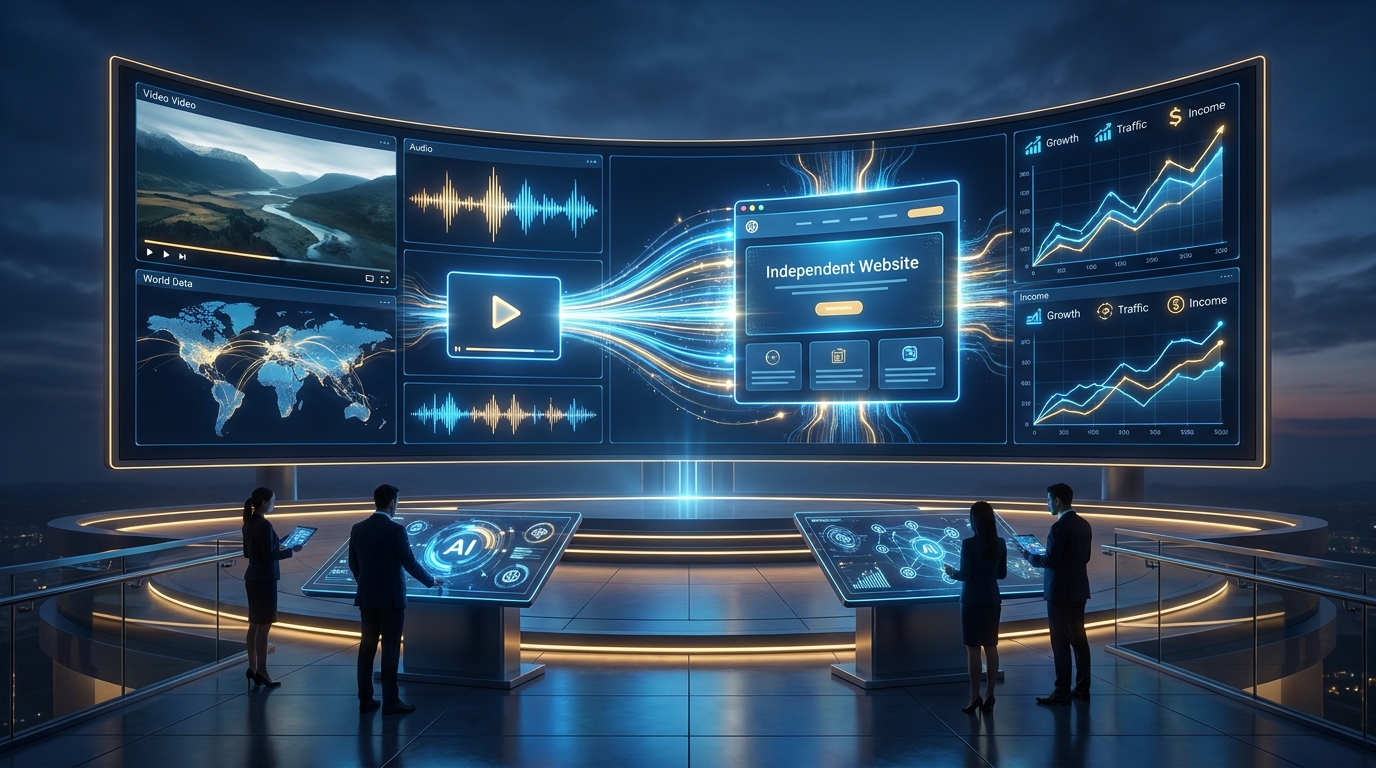
While short-form content excels at capturing quick top-of-funnel awareness, long-form video remains the definitive framework for deep engagement. Producing comprehensive, widescreen content allows creators to dive deep into complex narratives, build authoritative presence, and establish meaningful relationships with their global audience. However, high-quality media asset production is only the first phase of a broader corporate expansion strategy. True sustainability requires a multi-platform distribution model that anchors variable social media traffic onto a permanently owned, decentralized digital infrastructure.
This comprehensive operational framework provides a complete roadmap for modern filmmakers, YouTubers, digital marketers, and media creators. We will explore the neurological and psychological mechanics governing sensory synchronization, analyze the strategic advantages of the 16:9 widescreen format, and outline how to build a unified ecosystem that links media channels directly to a robust WordPress hub. By diversifying your distribution and leveraging advanced monetization models, you can transform high-retention media traffic into a highly profitable, resilient digital enterprise.
2. Why Audio-Visual Synchronization Matters
At its core, professional media production relies on the seamless blending of sensory inputs to manipulate human focus. Audio-Visual Integration is the deliberate alignment of musical cadences, localized sound effects, and spoken dialogue with physical visual cuts, camera movements, and on-screen motion graphics. When these two distinct sensory channels are perfectly synchronized, they create a unified cognitive experience that significantly reduces viewer fatigue and maximizes structural audience retention.
From a technical standpoint, poor synchronization instantly shatters the viewer’s suspension of disbelief. Even a microscopic delay of a few frames between a visual action and its corresponding audio cue activates an immediate subconscious warning in the human brain. This sensory mismatch, known as cognitive dissonance, distracts the viewer from the actual message, causing them to abandon the content early. In contrast, precision editing—such as matching a dramatic camera sweep to a rising musical swell—amplifies the perceived value of the content, keeping viewers hooked for longer durations.
For independent digital creators, mastering this delicate sensory balance is essential for surviving within highly competitive platform algorithms. Modern discovery engines prioritize long-form video assets that maintain a high watch-time percentage and consistent user engagement. By systematically building audio-visual harmony into your project templates, you create an effortless viewing experience that naturally extends session lengths, signaling search algorithms to distribute your media to a wider global audience.
3. The Psychology of Cinematic Visuals and Music
The human brain processes auditory and visual information through interconnected neural pathways that heavily influence emotional responses. Cinematic visuals—characterized by intentional color grading, structured framing, and controlled slow-motion camera movements—immediately prime the viewer’s brain to expect a premium narrative experience. When these polished visuals are paired with a targeted musical score, they bypass standard analytical filters, triggering a direct, powerful emotional connection.
Auditory elements function as a cognitive shorthand for emotional context. A melancholy piano progression can instantly shift the interpretation of a neutral landscape shot into a deeply moving moment, while an upbeat electronic rhythm injects energy into complex technical walk-throughs. This psychological framing modifies how information is received, digested, and stored in the viewer’s long-term memory, ensuring your brand message sticks over time.
Furthermore, this emotional alignment creates a strong sense of digital branding authority. Viewers naturally attribute professional credibility, corporate trustworthiness, and industry expertise to media channels that display polished production standards. By mastering the intersection of sound and sight, digital creators transform basic informational guides into compelling cinematic narratives that cultivate deep brand loyalty and long-term customer relationships.
4. Why 16:9 Long-Form Videos Build More Trust
While vertical 9:16 short-form video clips are excellent for capturing quick attention spikes, they are structurally limited by their fleeting nature. The horizontal 16:9 widescreen format provides an expansive visual landscape that mirrors traditional theatrical cinema and television layouts. This wider field of view allows for complex scene composition, multi-layered information displays, and detailed contextual storytelling that builds strong consumer trust.
The strategic deployment of a 16:9 long-form video strategy forces creators to prioritize deep, valuable substance over superficial clickbait hooks. Providing exhaustive, multi-chapter explanations allows you to demonstrate true command over your niche, positioning your brand as a leading voice in the market. This structural depth forms the basis for long-term customer relationships, transforming casual viewers into dedicated brand advocates.
From a behavioral standpoint, the context in which widescreen media is consumed differs significantly from the rapid vertical swiping of short-form feeds. Viewers watching horizontal content on desktop monitors, laptops, or smart TVs are typically in an intentional, focused state of mind. They are ready to invest 10, 20, or 60 minutes of uninterrupted attention to learn a new skill or absorb a detailed story, providing an ideal environment for introducing premium business offers and call-to-actions.
5. Creating a Recognizable Visual Brand
To stand out in a crowded digital landscape, long-form content creators must maintain a highly consistent digital branding framework across their entire media library. A unified aesthetic ensures that your content is instantly recognizable in user feeds, lowering the barrier to entry for returning viewers. This visual signature is built using several core stylistic elements:
- Controlled Color Palettes: Use specific LUTs (Look-Up Tables) and consistent color grading rules to maintain a matching atmosphere across every video upload.
- Structured Typography: Deploy a dedicated set of brand fonts for all lower-thirds, graphical text overlays, and title cards.
- Consistent Framing & Lighting: Keep identical camera angles, lighting layouts, and studio background elements across standard content series.
- Signature Audio Assets: Utilize a recurring library of intro tracks, transitional sound effects, and ambient background melodies to anchor your brand identity audibly.
This strict stylistic discipline must extend beyond the video file itself to include your click-through assets, most notably your custom thumbnails. Your video thumbnails should function as a visual extension of your digital branding, utilizing matching color palettes, familiar faces, and clean layouts. When your channel maintains a polished, unified aesthetic, it communicates high professional standards, building immediate trust with new audiences before they even hit play.
6. Turning YouTube Traffic into Website Visitors
Relying solely on a third-party social media network exposes your business to significant platform risk. If a platform alters its core distribution algorithms, adjusts its monetization structures, or terminates an account without warning, an independent business built entirely on that network can vanish overnight. Therefore, a smart YouTube strategy must treat social channels as a top-of-funnel discovery engine designed to drive traffic toward a permanently owned web asset.
Moving a viewer from a highly engaging video environment to an external website requires intentional, value-driven conversion paths. Creators should integrate clear, contextual call-to-actions (CTAs) directly into the video narrative, guiding users to resources that expand on the topic at hand. These targeted promotions should point to high-value bonuses, such as downloadable PDF checklists, project templates, case studies, or exclusive resource roundups.
To maximize conversions, place your destination links prominently in the first two lines of your video description box, pin them to the top of the comment section, and feature them on customized end screens. The landing page on your website must be optimized for speed and clarity, delivering the promised resource instantly in exchange for the user’s email address. By shifting your audience from a rented social feed to an owned database, you establish full control over your customer relationships and communication channels.
7. WordPress as a Long-Term Digital Asset
When choosing a digital hub to anchor your business, WordPress remains the industry standard for independent content creators and media entrepreneurs. Operating a self-hosted web asset gives you absolute ownership over your publishing catalog, design layouts, user database, and monetization strategies, providing complete freedom from third-party terms of service.
A primary business advantage of maintaining a dedicated web asset is the ability to maximize your organic visibility via Search Engine Optimization (SEO). While video discovery systems operate on immediate watch-time dynamics, search engines index comprehensive written text, providing sustainable organic traffic for years. By repurposing your long-form videos into long-form articles, you build a powerful dual-engine traffic asset that captures audience intent across both video and text search engines simultaneously.
Furthermore, WordPress scales effortlessly as your business grows. The platform’s vast plugin ecosystem allows creators to seamlessly integrate advanced analytics tools, manage custom advertising setups, run affiliate program tracking codes, and host sophisticated e-commerce checkout systems. Your website evolves from a basic digital brochure into a highly functional hub that stores, organizes, and monetizes your entire creative asset catalog.
8. Monetization Strategies
A resilient global media business should never depend on a single source of revenue. By spreading your monetization models across multiple separate streams, you build financial stability and ensure steady cash flow through changing market conditions.
Google AdSense
Programmatic advertising provides an accessible, passive foundation for baseline revenue generation. By integrating Google AdSense onto your high-traffic WordPress articles and enabling monetization on your long-form video channels, you earn consistent income from everyday views. To maximize your display ad performance, focus on producing high-value content in niches with strong commercial intent, which naturally commands higher cost-per-click (CPC) rates from global corporate advertisers.
Affiliate Marketing
Integrating structured affiliate marketing programs into your content mix offers an incredibly efficient pathway to monetization. By providing authentic recommendations for specialized tools, editing software, camera gear, or digital services within your videos and articles, you earn recurring commissions on every sale tracked through your unique affiliate codes. Focus on highlighting high-ticket enterprise solutions or recurring monthly software subscriptions to build predictable, scaling revenue streams.
Digital Products
Creating and selling your own premium digital products delivers unmatched profit margins because it completely eliminates ongoing inventory costs and manufacturing bottlenecks. Creators can package their unique skills into downloadable assets like Notion productivity workspaces, specialized LUT packages, custom video templates, detailed e-books, or robust online training programs. These digital products are delivered automatically via email upon checkout, operating entirely on automation around the clock.
Email Marketing
Your email newsletter is the most reliable financial driver in your digital business ecosystem. By offering high-quality free resources to convert casual video viewers into dedicated email subscribers, you build a direct line of communication that bypasses algorithmic filtering. A clean, engaged email list allows you to launch targeted seasonal campaigns, promote fresh affiliate offers, and drive highly qualified traffic back to your web platform whenever you publish new content.
Memberships
For creators seeking predictable, recurring income, hosting a private community or premium membership portal is an ideal solution. By offering members-only perks—such as behind-the-scenes footage, advanced technical workshops, monthly live Q&A sessions, or direct access to a private forum—you create a reliable recurring revenue stream. This direct fan support insulates your business from changing advertising rates and algorithm updates, stabilizing your monthly income.
9. Best Practices for Global Content Creators
Building a successful global media brand requires a disciplined, systematic approach to asset creation and management. Independent solopreneurs must learn to operate like agile media agencies by building highly organized production pipelines. The first step is implementing a strict content calendar that balances thorough research and creative execution with a highly consistent publishing schedule.
To maximize the return on your creative efforts, implement a comprehensive content repurposing system. A single 16:9 cinematic video should serve as the source asset for a variety of media products across multiple distribution channels. The primary audio can be extracted and polished for podcast networks; the main narrative script can be expanded into an SEO-optimized article for your WordPress site, and key moments can be cut into vertical clips to drive awareness on short-form feeds.
Additionally, creators must respect international copyright laws and use only high-quality, cleared assets. Always source your background audio, sound design elements, and stock overlays from reputable, licensed subscription platforms like Epidemic Sound, Artlist, or Audiio. Using properly cleared media assets protects your channel from sudden copyright strikes and demonetization updates, keeping your long-term business safe.
10. Common Mistakes to Avoid
Even highly experienced digital media producers frequently make critical errors that can stall their growth and limit their monetization potential. One of the most common pitfalls is over-investing in expensive camera bodies, anamorphic lenses, and premium studio hardware while neglecting basic room acoustics and sound treatment. A video with striking, beautiful visuals but distorted, echoey audio will immediately cause viewers to click away, destroying your audience retention metrics.
Another major strategic mistake is failing to build a dedicated web asset early in your creative journey. Many creators direct all their traffic to third-party social profiles, leaving their entire business vulnerable to sudden platform policy shifts and algorithm updates. Start building your email database and establishing your self-hosted web hub from day one to ensure your business remains secure over the long term.
Finally, avoid the trap of tracking superficial vanity metrics like total view counts or general subscriber numbers while ignoring your actual business conversion rates. A channel with millions of viral views but no integrated email capture or product ecosystem often generates less revenue than a hyper-focused niche channel with a few thousand dedicated subscribers. Focus on tracking real business growth indicators, such as email opt-in rates, affiliate link clicks, and direct digital product sales.
11. Future Trends in AI-Powered Content Production
The digital media ecosystem is entering a transformative era driven by rapid advancements in generative artificial intelligence and automated production workflows. In the coming years, advanced AI video generation platforms will allow small teams and individual creators to render photorealistic cinematic visuals and complex visual effects from simple text prompts, significantly leveling the playing field with large Hollywood studios.
The field of audio production is experiencing a parallel revolution. AI-powered audio restoration tools can instantly strip out harsh environmental noise, echo, and room reflections, giving bedroom creators access to pristine, studio-quality sound character. Furthermore, advanced generative music platforms enable the immediate creation of custom, royalty-free audio tracks tailored to match the precise pacing, emotional tone, and beat cuts of your video timeline.
However, the rapid spread of AI tools means that raw informational volume will become heavily saturated. As automated content floods the web, human personality, authentic storytelling, and trusted digital branding will become a creator’s ultimate competitive advantages. The most successful media entrepreneurs will use AI tools to handle repetitive editing tasks, manage translation rendering, and optimize SEO metadata, freeing up more time to connect authentically with their global audience.
12. Comparison Table
The table below provides an overview of the core distribution formats available to modern media creators, analyzing their operational benefits, limitations, and long-term business value:
| Format Type |
Primary Platform |
Audience Retention |
Monetization Potential |
Platform Risk |
Core Business Role |
| Short-Form Video (9:16) |
TikTok / YouTube Shorts |
Low (Fleeting) |
Low (Ad Pools) |
High (Algorithm Dependent) |
Top-of-funnel discovery |
| Long-Form Video (16:9) |
YouTube Main Feed |
High (Engaged) |
Medium to High |
High (Third-Party Network) |
Trust building & authority |
| Self-Hosted Articles |
WordPress Web Platform |
Very High (Intent-Driven) |
Maximum (Full Ownership) |
Zero (Owned Infrastructure) |
Conversion hub & digital asset |
13. FAQ
1. What exactly does Audio-Visual Integration mean for video editing?
It means planning your video edits so that visual events perfectly sync with your audio track. This includes matching camera cuts to the rhythm of the music, aligning graphic pop-ups with clean sound effects, and choosing a background track that amplifies the emotional tone of your spoken message.
2. Why should I create long-form videos instead of focusing entirely on viral short-form clips?
Short-form clips are excellent for quick exposure, but they rarely build deep audience loyalty. Long-form video gives you the time needed to thoroughly cover complex topics, prove your expertise, and build the strong consumer trust required to sell premium products and services.
3. How does the 16:9 widescreen format help build credibility with viewers?
The horizontal 16:9 layout mirrors the professional look of traditional film and television. This cinematic formatting automatically signals high production value to the viewer’s brain, making your content stand out from casual smartphone uploads and boosting your brand authority.
4. Can I build a sustainable business relying only on YouTube AdSense revenue?
It is highly risky. AdSense rates fluctuate based on seasonal ad spending, advertiser demand, and algorithm shifts. A secure digital business should always use ad revenue as a baseline while diversifying into affiliate marketing, digital products, and private memberships.
5. Why is a self-hosted WordPress site better than using free platforms?
Free publishing platforms control your monetization options, design layouts, and terms of service, meaning they can change their rules or delete your profile at any time. A self-hosted site gives you absolute ownership over your content catalog, user data, and business strategy.
6. What is the most effective way to turn video viewers into email subscribers?
The best method is offering a highly relevant, valuable free resource (a lead magnet) within your video, such as a downloadable workbook, resource list, or project template. Direct viewers to a clean, fast-loading landing page on your website where they can input their email to receive the file.
7. How do I balance video music levels so the background track doesn’t drown out my voice?
As a general rule, your spoken dialogue should sit between -6dB and -12dB on your audio meter, while your background music should loop quietly between -20dB and -30dB. You can also use auto-ducking tools to automatically lower the music volume whenever you are speaking.
8. Does creating organic written content for a website help my video rankings?
Yes. Embedding your videos into high-quality, relevant articles on your website opens up a powerful dual traffic source. It captures search traffic from traditional text search engines while signaling to video algorithms that your content is being shared and valued across the web.
9. How often should a new creator publish long-form videos to maintain steady growth?
Consistency matters far more than raw volume. Publishing one high-quality, deeply researched long-form video every week or two is much better than uploading rushed, mediocre videos every few days. Pick a sustainable schedule that fits your life and stick to it.
10. Can I use popular commercial songs as background tracks in my videos?
No, using copyrighted music without explicit permission will result in your videos being demonetized or taken down by the platforms. Always protect your business by using high-quality royalty-free tracks from licensed subscription platforms.
14. Final Summary
Building a successful global media brand requires a smart balance of creative artistry and operational strategy. By mastering the core principles of Audio-Visual Integration within widescreen media layouts, you build an engaging viewing experience that hooks your audience and keeps them coming back. However, high watch-time metrics are only a piece of the puzzle; long-term financial freedom requires turning that third-party platform traffic into a permanent, owned asset on a dedicated WordPress hub.
Do not let your business remain vulnerable to unpredictable algorithm updates and changing ad rates. Take control of your career today by building a diversified monetization ecosystem around your creative passions. Start capturing email leads on every video, setup your independent web hub, and build an intentional digital home that secures your brand’s growth for years to come.
15. Related Articles
16. Sources & Further Reading